
How to highlight a Time period in Gantt chart in Microsoft Project
MS Project do not provide a tool to highlight a time period in Gantt chart.So how can we do it?First you create a new calendar. For example "Gantt Shade"In Exception tab, add the Time period you want to highlight. (From January to March)Right click on Gantt chart and select Nonworking Time...In…

MS Project do not provide a tool to highlight a time period in Gantt chart.
So how can we do it?
First you create a new calendar. For example "Gantt Shade"

In Exception tab, add the Time period you want to highlight. (From January to March)
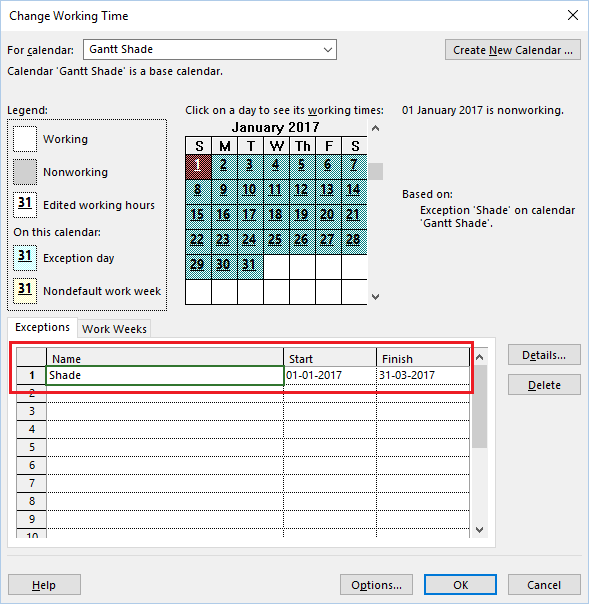
Right click on Gantt chart and select Nonworking Time...

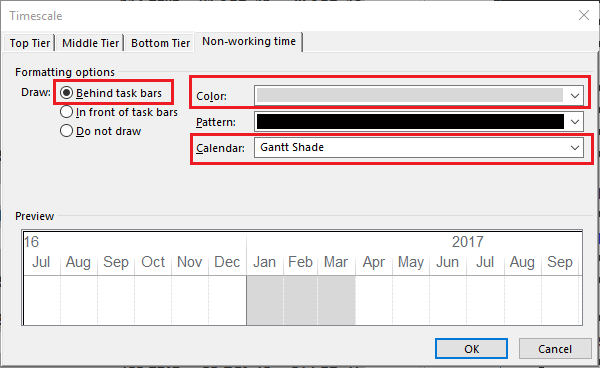
In Non-working time tab, in Calendar select Gantt Shade, in Draw select Behind task bars, in Color select Gray color.
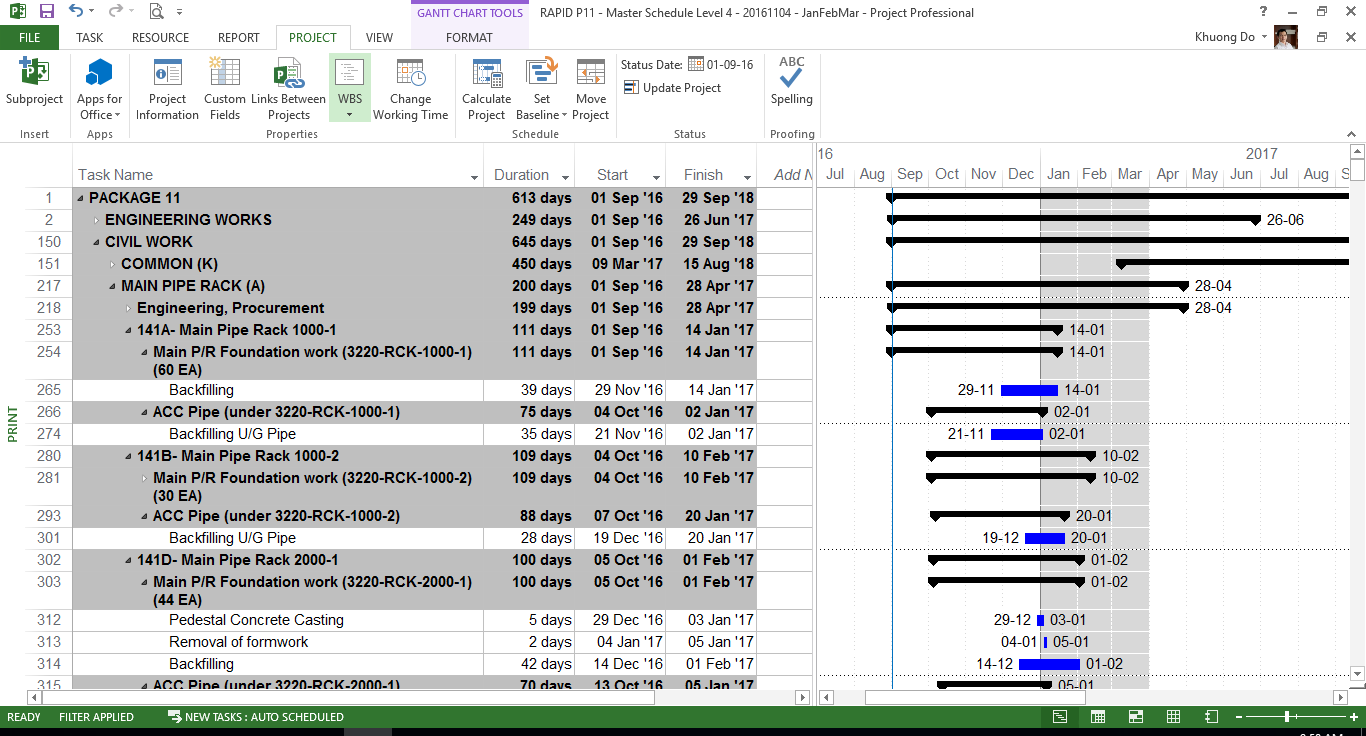
Now Time period from Jan to Mar has been highlighted.
Thank you for your time to read this article.
You can also find other post at my personal blog : https://doduykhuong.com
Last updated 12 Dec 2025.
Comments
No comments yet.
Log in or join to comment