Skip to content

Report to identify useless Dependencies

Rodney JonesMember for 14 years 4 months
Created
5
2
0

Hi P6ers! I hope 2024 is a great year for you.


Does anyone have a way of identifying if an activity has the same predecessor as SS and FF? Or more clearly, any report that identifies duplicated predecessors to another activity?


Thanks,


Rod

5 replies

Oldest first
  1. 0
    David Kelly ·

    Deltek Fuse removes

    Deltek Fuse removes redundunt dependencies. Pricey.
  2. 0
    Rafael Davila ·

    Does anyone have a way of

    Does anyone have a way of identifying if an activity has the same predecessor as SS and FF? Or more clearly, any report that identifies duplicated predecessors to another activity?

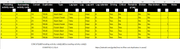
    If using Spider Project to filter out multiple links to same activities:
    1 Go to Links Table and Export to Excel. Format as a Table.
    2 In Excel add a column to concatenate predecessor and successor activity codes.
    3 Then add a column to identify duplicates.
    4 Filter and done.

    Hoover thumbnails and click zoom.
    Links-Table  Links table

    Export-Links Excel Workbook

    Filtered-Links Apply Filter

    • Please be reminded two links to same predecessor does not mean useless or redundant, SS and FF links to same predecessor are useful.
    • If modeling point ot point relationships you can have multiple SS relationships (between two activities) with double lags, multiple links, none redundant.
    • The multiple links might have different lag calendars, in such case they are not redundant.

    Report to identify useless Dependencies:

    On the other hand redundant dependencies make schedule logic hard to follow and can lead to errors. If you use P6 and want to remove redundant activities the following links might be of interest.

    Project XER - Tool "RRR" Remove Redundant Relationships

    Logic League by Ron Winter Consulting LLC.

    Best Regards, Rafael

  3. 0
    Rodel Marasigan ·

    Export the activity

    Export the activity relationship to Excel. Combine the Predecessor and Successor columns using the "&" symbol or the CONCATENATE Excel function. Use the COUNT formula to identify combined columns with a count greater than 1, then apply a filter for counts greater than 1.

  4. 0
    Jerome Odeh ·

    Maybe the filter in the

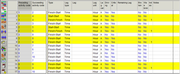
    Maybe the filter in the snippet below can help you in a way.

    Unfortunately, it won't filter for only activities with duplicate same ID predecessors with SS AND FF logic but will filter for all activities with with SS OR FF predecessors logic. And you can then narrow down the duplicate ones.

  5. 0
    Jerome Odeh ·

    Maybe the filter in the

    Maybe the filter in the snippet below can help you in a way.

    Unfortunately, it won't filter for only activities with duplicate same ID predecessors with SS AND FF logic but will filter for all activities with with SS OR FF predecessors logic. And you can then narrow down the duplicate ones.

Log in or join to reply

ProjectControls.com is free to join. Members can post questions, reply, vote and follow discussions.

Existing members: your original username and password still work. Forgot password?