
Practical way to communicate schedule to the team, assign tasks, get progress information
- Created
- 12
- 6
12 replies
Oldest first- 0RDRafael Davila ·
how in practice you
how in practice you communicate schedule to your team, assign tasks, get progress information?
- We communicate schedule using PDF reports anyone can see and understand. The two weeks lookahead report is a favorite. When required software files are delivered.
- We initially assign schedule tasks [activities] using contract documents used for Bidding [Drawings, Specifications, BOQ ...] as well as cost estimate. Baseline as well as any major revision are reviewed at team meetings as needed.
- We get project information in Excel Format, usually we send an empty Excel worksheet to be filled up by the PM using information he gathers at the jobsite. We make an initial update and send PDF reports for PM review. Usually this requires some adjustments we make at a ~1 hour meeting at the jobsite, we use our laptop to finalize the update on site.
These steps have always been the same no matter if we used Old P3, SureTack or Spider Project. As soon as Primavera P3e surfaced we stopped using Primavera. None of these steps require all team members to be experts with scheduling software but experts at project execution.
- 0EZEvgeny Z. ·
Rafael,thanks for answer. My
Rafael,
thanks for answer. My question was more:
How do you communicate schedule to individual contributers (I am more thinking in IT - like projects, not constructions ones).
Say, you have a team of 10-15 people and you want to:
a) communicate to them what each of them is supposed to do, so that they see their task but preferanly overall picture
b) get their progress information periodically
- 0BLBogdan Leonte ·
Vladimir can better detail
Vladimir can better detail this, but if you want to know how to communicate work packages (WBS elements) to teams than you have 2 ways to do this:
1. Create User Access rights, Create users and assign access rights. Each user will have an e-mail address and storage wither on FTP or on a server. You have a column named responsible in spider in which you can assign Users. Than you distribute/update workpackages to the user via Distribute/Consolidate subprojects. This is a pretty general description.
2. Via WEB. On a FTP/SSH server you create users with passwords then Upload/Download files from the FTP/SSH server. This is also a pretty general description.
As a general practice it is important for users to make a new verson of any change/update of the project in order to keep a complete history of the project.
Best regards,
Bogdan - 0RDRafael Davila ·
I do not have "in practice"
I do not have "in practice" experience with IT jobs but Construction Industry related jobs.
I do not believe the steps shall be much different. PDF reports can be understood by anyone. You can give them limited network access to the schedule as a substitute to PDF reports. I would never allow everyone to mess with the schedule, and set access to be read only except to schedule administrator(s).
I would not try to play the IT PM role as there is more to updating than just plugging % done. You can get the % complete and remaining durations from each activity manager but should never by-pass the review by IT PM.
- 0VLVladimir Liberzon ·
If people are responsible not
If people are responsible not for executing of some tasls but for management of subprojects Spider Project Professional sends to responsible persons not just input tables but their subprojects (as separate projects) where they can make any changes (add activities, create dependencies, enter actual data, etc.). At any moment the senior scheduler can consolidate the schedule updating the whole model by current data in all subprojects,
Bogdan briefly described this case.
We can also discuss group work with project portfolios if there are questions on this.
- 0VLVladimir Liberzon ·
Evgeny,you can create
Evgeny,
you can create Responsibility Structure (one of WBSs). In this structure phases are people names and phase activities are those tasks for which they are responsible. Or just assign responsible persons to existing WBS phases if the WBS is structured in accordance with people responsibilities. Each phase of the project permits to assign the person who is responsible for its data.
Spider Project can distribute separate input tables for each of responsible persons and besides you can allow them to view Project schedule in accordance with their access rights. Filled input tables are automatically collected and project model updated.
The same can be done through Web. If Web access was created then each project participant enters project site with its own Login and Pasword, fills input table, can see Activity Gantt Chart with the information that is permitted to view.
- 0
Marcus Possi ·
Evgeny, as Vladimir has
Evgeny, as Vladimir has mentioned ... “ ... The same can be done through Web. If Web access was created then each project participant enters project site with its own Login and Pasword, fills input table, can see Activity Gantt Chart with the information that is permitted to view.” https://youtu.be/tj44gKEntaM - 0RDRafael Davila ·
And I thought we were talking
And I thought we were talking about a single team of 10 to 15 people.

Imagine this in one of my typical construction job with a supervisor for: Earthwork, Concrete Curbs and Sidewalks, Landscaping, Paving, Site Electrical, Site Plumbing, Storm Water system, Sanitary Water System, Concrete Placing, Walls and Columns, Elevated Slabs, Masonry, Cement Plaster, Floor Tile, Wall Tile, Drywall, Insulation, Metal Structure, Metal Roofing, Reflected Ceilings, Painting, Built-up Roofing, Interior Electrical Work, Interior Plumbing Work, Fire Protection System, Doors, Windows, Cabinets and Millwork, some working as sub-contractors plus a few more.
None of them with access to a computer!
Soon you will find out that trying to enter detailed data such as when a resource worked different hours/day on same activity during the update period is not easy. We keep it simple, we use accounting for these purposes and scheduling for time management.
- 0
Rafael,I do think it should
Rafael,
I do think it should be the reason Spider Team invested in "Spider Project WEB PI"
desktop for deep inputs.
tablets and cells for simple imputs and info.
None of them with access to a computer, but... everyone has a cellphone. :)
by the way ... check it: http://www.ecthos.eco.br/Gantt/planningplanet%20-%20SEP-OCT2021/
login: Possi
password: none - 0
Evgeny Z. It was finished
It was finished recenttly.
Vladminir is the one who could better describe it, but we made some appoitments since there.
english: here
spanish: here
portuguese: here
They are available privetely, but I think Spider Team will make it announced someday in their site. We call it Spider Project WEB-PI
Spider Project version 19.04 release 160 - from 17.06.2019Download Gantt chart in WEB (only in Professional and Desktop-plus versions): - 0RDRafael Davila ·
Marcus,Web Report is awesome!
Marcus,
Web Report is awesome! Reminds me of a ScheduleIt report where you would get details by hovering cursor over the bars. No instructions are required to teach others how to view the report. I even added my notes to one activity. Looking good, very good.
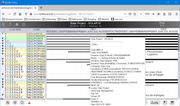
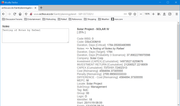 ==>> It should be showcased in Spider Project Team Website.
Dropbox along with free viewer can be an option that will allow users to access other schedule versions.
Best Regards,
Rafael
Log in or join to reply
ProjectControls.com is free to join. Members can post questions, reply, vote and follow discussions.
Existing members: your original username and password still work. Forgot password?