I suggest actuals for each activity cost code be entered in the currency used for activity budgeting as these values will be used to calculate remaining costs.
If you have hundreds of cost codes as I would expect in the public sector it mean hundreds of formulas, hundreds of columns x hundreds of lines. There must be an easier way.
Spider Project does it without the need of formulas, with a single field for cost accounts named "unit cost" which is essentially the exchange rate. With hundreds of cost codes a tabular report template will do it at a single click.
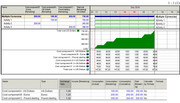 click image and zoom
The following links might be of interest.
As a fully integrated solution you can expand your project management even further with streamlined integration to Sage 300 ERP Inventory Control, Accounts Receivable, Accounts Payable, Purchase Order, and Payroll modules. These applications work seamlessly and synergistically to contribute valuable insights to project costing analysis. Costs and system-calculated burden, overhead, and profits are posted directly to the general ledger. Save time by defining details to be used when creating billing invoices in Accounts Receivable. You can also purchase or bill for products in any currency and have the cost flow into Project Costing in your home currency. From the details to the big picture, you’re equipped to capitalize on the insights behind the numbers and keep your company on track for success.
If you’re like many project managers, you spend a great deal of time and effort trying to get a handle on elusive project costs. Effective project management requires a high level of communication between all entities involved, so you can know what materials and costs have been ordered or delivered and who has been billed. Not to mention tracking other resources, such as time spent on each project or job. Currently, you are trying to manage projects and jobs manually and are most likely juggling a variety of spreadsheets, spending too much time on manual reporting and communications, and often costs are spiraling out of control.
Be warned these vendors are "Best of Breed" at accounting and job costing but not at scheduling. In addition many clients require a specific scheduling software, it is better if you keep them apart.
Good Luck
Rafael
