
Skip to content

Hide Non-working days in P6

Mike plannerMember for 15 years 8 months
Created
5
3
0


Hello, 

Can i know if there is a way to hide the non working days using P6? For example


  • Working day = Monday to Friday
  • Saturday and Sunday are not working day 


Activity A F/S Link to Activity B. 

Activity A finish on Friday.

Activity B start on Monday because Saturday and Sunday are non-working day. 


however, there is a gap on my programe betwen these 2 activities because of Sat and Sun weekend. How do i just hide the non working days so people wont asking all these questions? 


Many thanks

Mike 

5 replies

Oldest first
  1. 0
    Zoltan Palffy ·

    one options is to change time

    one options is to change time scale to show Month/week this will not show weekends

    the week ends are in different color so that should stand out 

  2. 0
    Rafael Davila ·

    In any case I would require

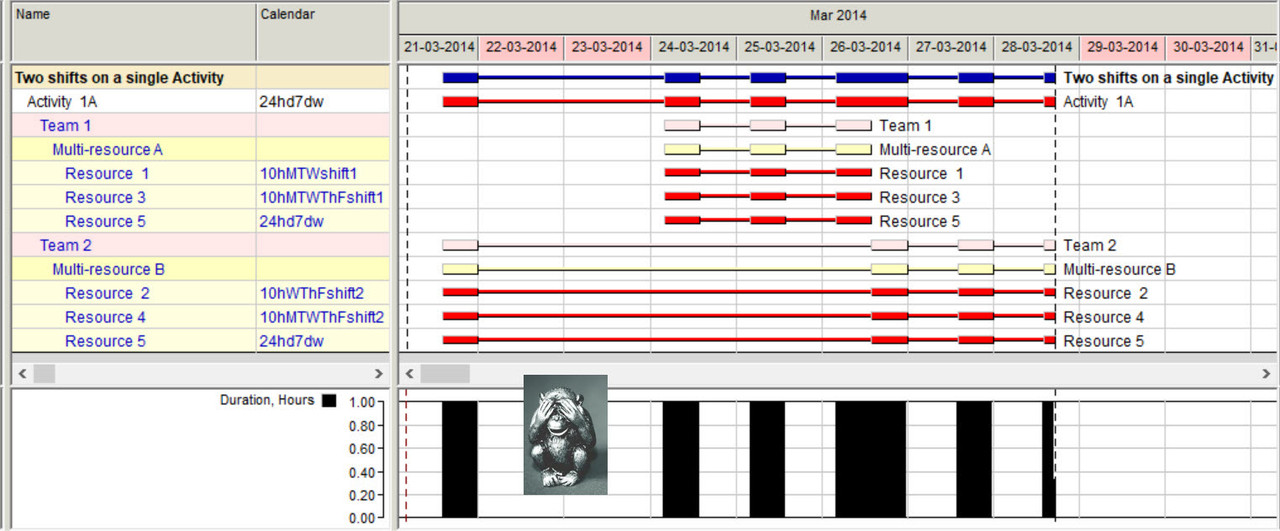
    In any case I would require the Gantt to show more detailed bars where you can distinguish work hours versus non-work hours.

    Detailed-Bars

  3. 0
    Zoltan Palffy ·

    yes you could do as Rafel

    yes you could do as Rafel suggested and modify the bars to show non working times and you will get the short staccato effect on the bars

  4. 0
    Alexandre Faulx-Briole ·

    Mike,it is not possible to

    Mike,

    it is not possible to hide the non-working days on the timescale in P6; 

    the only way to distinguish working and non working days is to "neck" the activity bars as Raphael did show you; but Raphael is working with Spider Project, not P6

    Alexandre

  5. 0
    Rafael Davila ·

    http://drmcnatty.com/understa

Log in or join to reply

ProjectControls.com is free to join. Members can post questions, reply, vote and follow discussions.

Existing members: your original username and password still work. Forgot password?