Skip to content

Way just to show the critical or driving activity connector lines in P6? (like we could in suretrak 20 yrs ago?

John ReevesMember for 13 years 5 months
Created
5
2
0

Way just to show the critical or driving activity connector lines in P6? (like we could in suretrak 20 yrs ago?
(When is P6 going to incorporate AEC construction features instead of IT/programmers turtle pace guesses at features?)

5 replies

Oldest first
  1. 0
    Santosh Bhat ·

    John, No way to do this in

    John, No way to do this in the P6 client.

    In P6 Visualizer, There are options to show driving relationships only and to then set the thickness for:

    • Non-driving, non-critical
    • Driving, non-critical
    • Critical

    But then I've never used P6 Visualizer in anger so no idea what its capable of.

  2. 0
    Rodel Marasigan ·

    Alternatively in P6 you can

    Alternatively in P6 you can select Trace logic on View--> Show on Bottom --> Trace Logic. You can change the Trace Logic options to number of predecessor and successor level to show. All driving critical activities have red connectors, driving non-critical is solid connectors and non-driving is dotted connectors.

  3. 0
    Zoltan Palffy ·

    easy first fiiter for the

    easy first fiiter for the critical path and then turn on the relationship lines

    for the full schedule you can use the visualizer as Santosh suggested

  4. 0
    Rafael Davila ·

    In complex schedules with

    In complex schedules with hundreds of resources and activities:

    • Tracking link lines is not practical.
    • Using standard links only to see what is driving activities is not always enough, using resource links when the software can create them to see what is driving activities is not always enough as it will fail to identify the resource.
    • Tracking resource links will not make it when materials and financial constrains delay the activities.
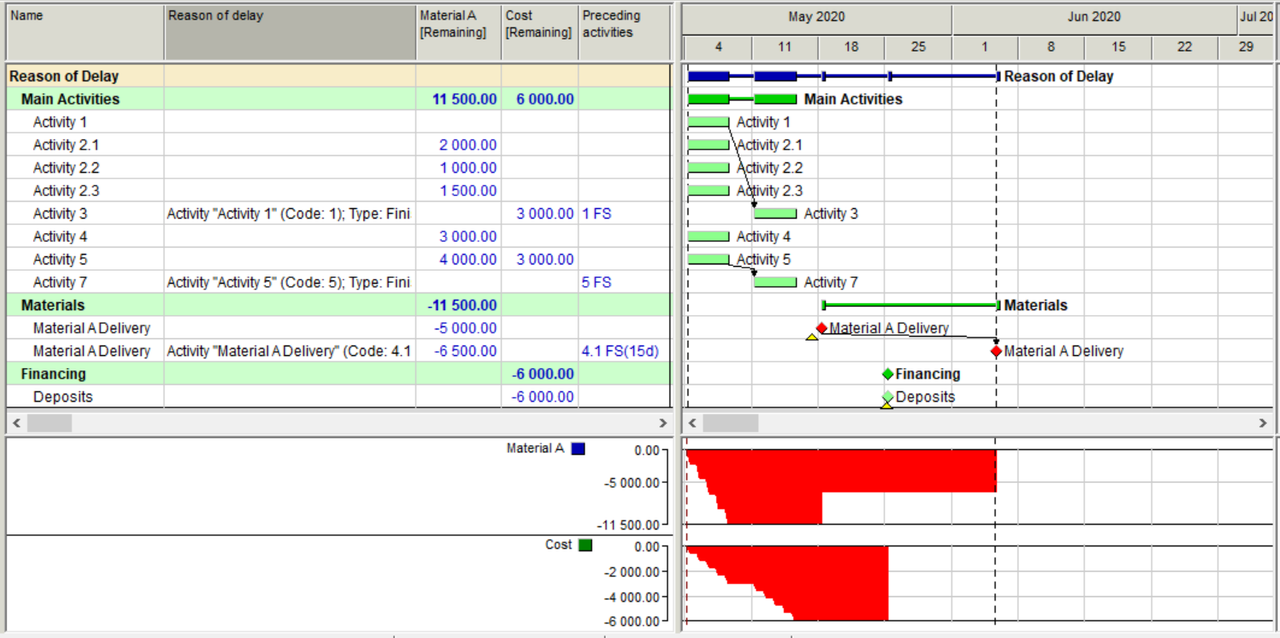
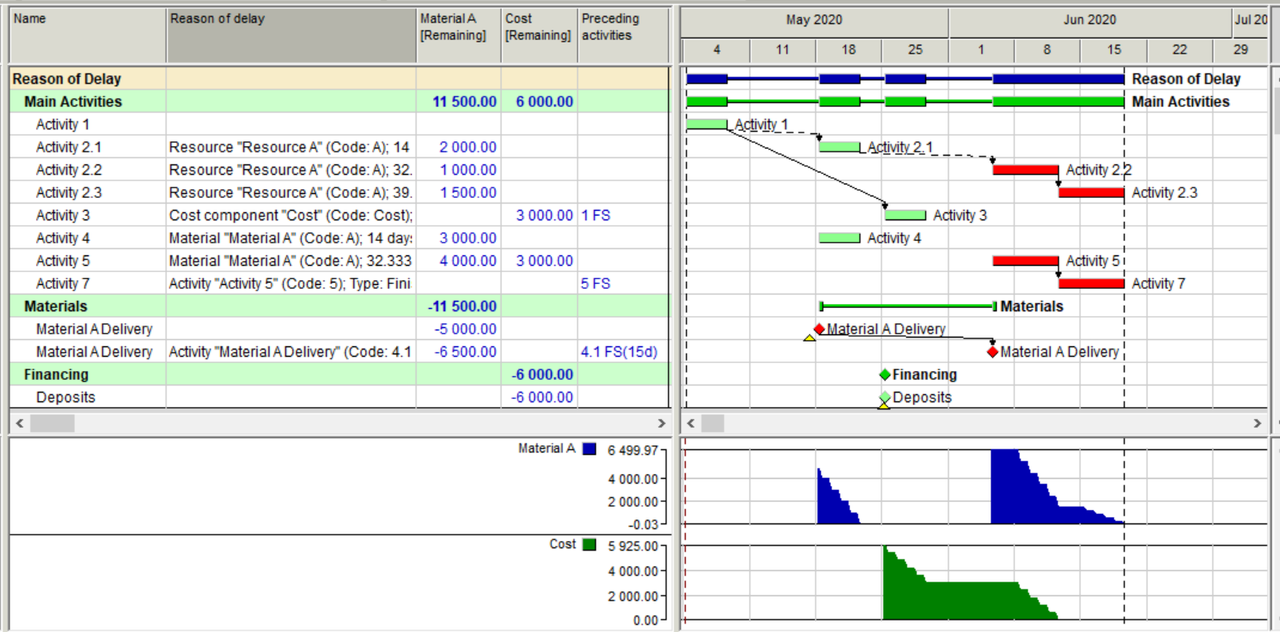
    • A single column we call Reason of Delay will tell you what is driving the activities.

    Simple scheduling without resource leveling.

    01ROD
    After resource leveling.
    02ROD
    I am not sure P6 will provide the missing information but maybe you can see in a column the available information regarding hard link drivers. Please take a look at the following link I hope will be of help.

    Driving Predecessors Report in Primavera P6 - Project Controls Services

    Best Regards, Rafael

  5. 0
    Rafael Davila ·

    A schedule to be viable must

    A schedule to be viable must clear all constraints. 

Log in or join to reply

ProjectControls.com is free to join. Members can post questions, reply, vote and follow discussions.

Existing members: your original username and password still work. Forgot password?