Hi Marian,
thank you for your question and my apology for the delay with the answer. I just returned from the business trip and missed your post.
High rise construction diagram is new and will be improved soon. We did not add its description yet and I will try to describe this functionality in this post.
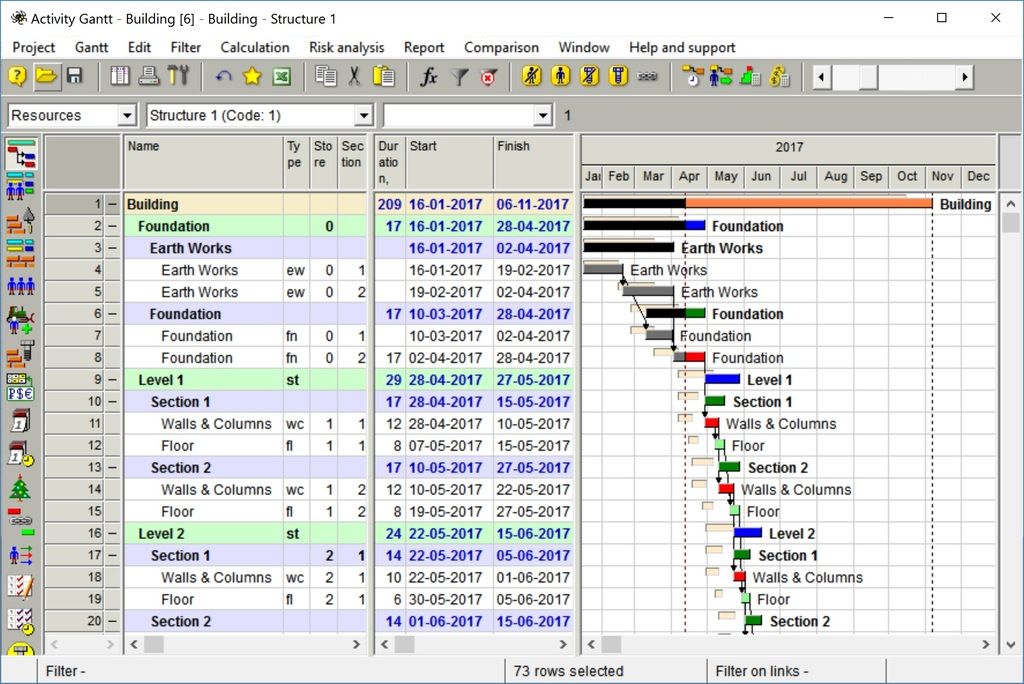
To get HRCD (High Rise Construction Diagram) create in your construction project new user defined fields with codes store and section. In these fields enter the store where construction activity is performed and in what section. Enter activity types that shall be shown in HRCD.
Look at project Building that is included in the last Spider versions as an example. I suggest to enter actual data in this project to be able to compare current version with the baseline in HRCD.
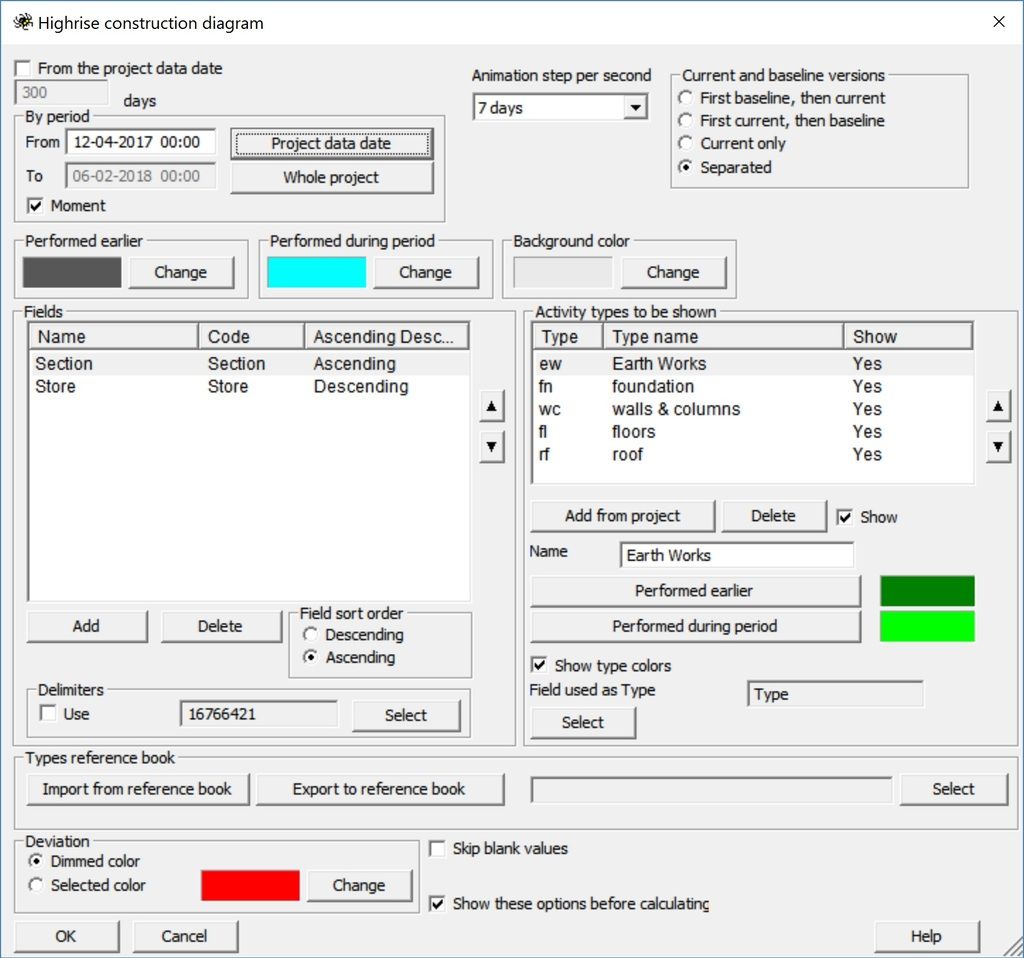
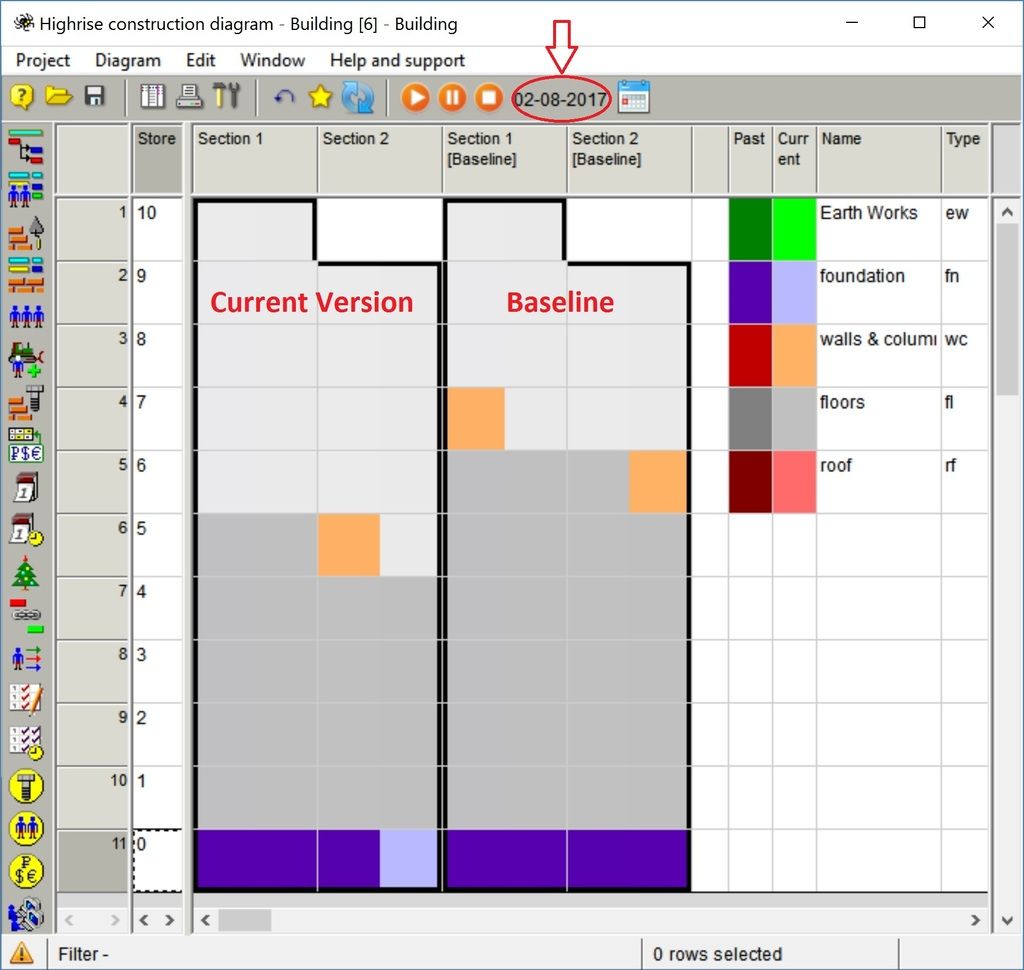
Now you may open HRCD and push the button Refresh. You will see the settings shown in the next picture. You may select to show project status at certain moment or watch the movie that shows the constructin process at certain period. You may also select if to show both current project and baseline statuses at any moment or only current version. Baseline version may be shown side by side with the current version or overlapping current version in the HRCD. You may also choose what types of work to show in HRCD. For movie select time step (in our case one week was selected).
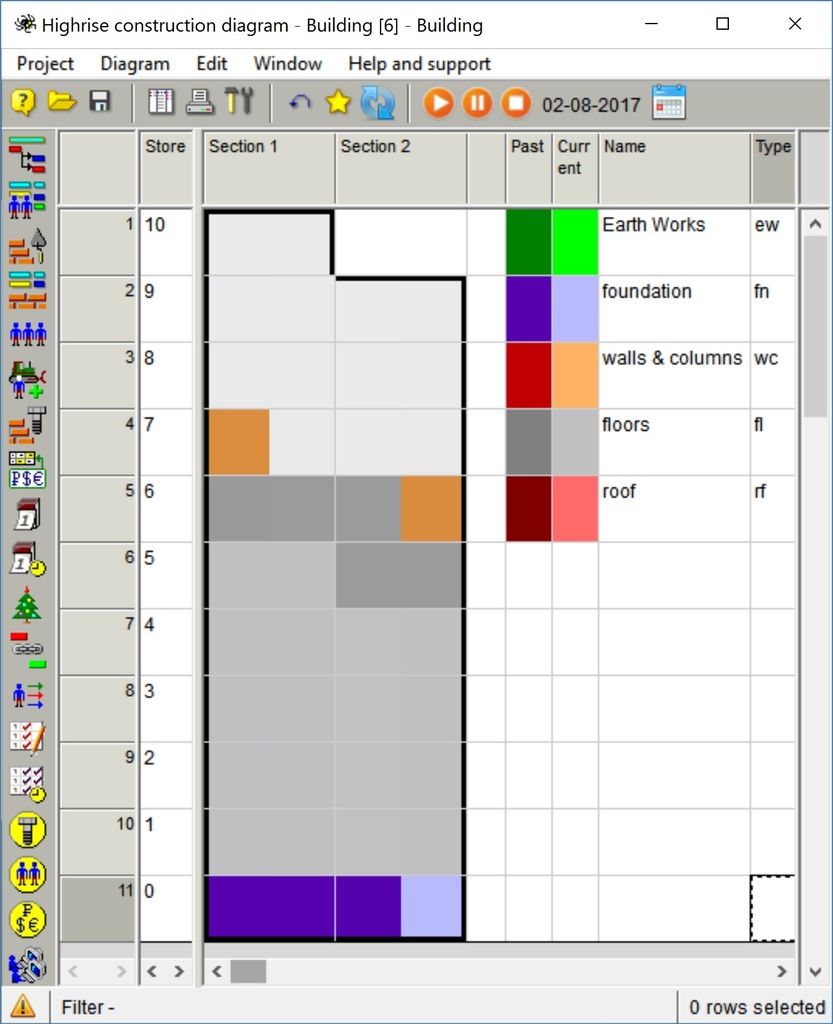
If you selected to show current moment:
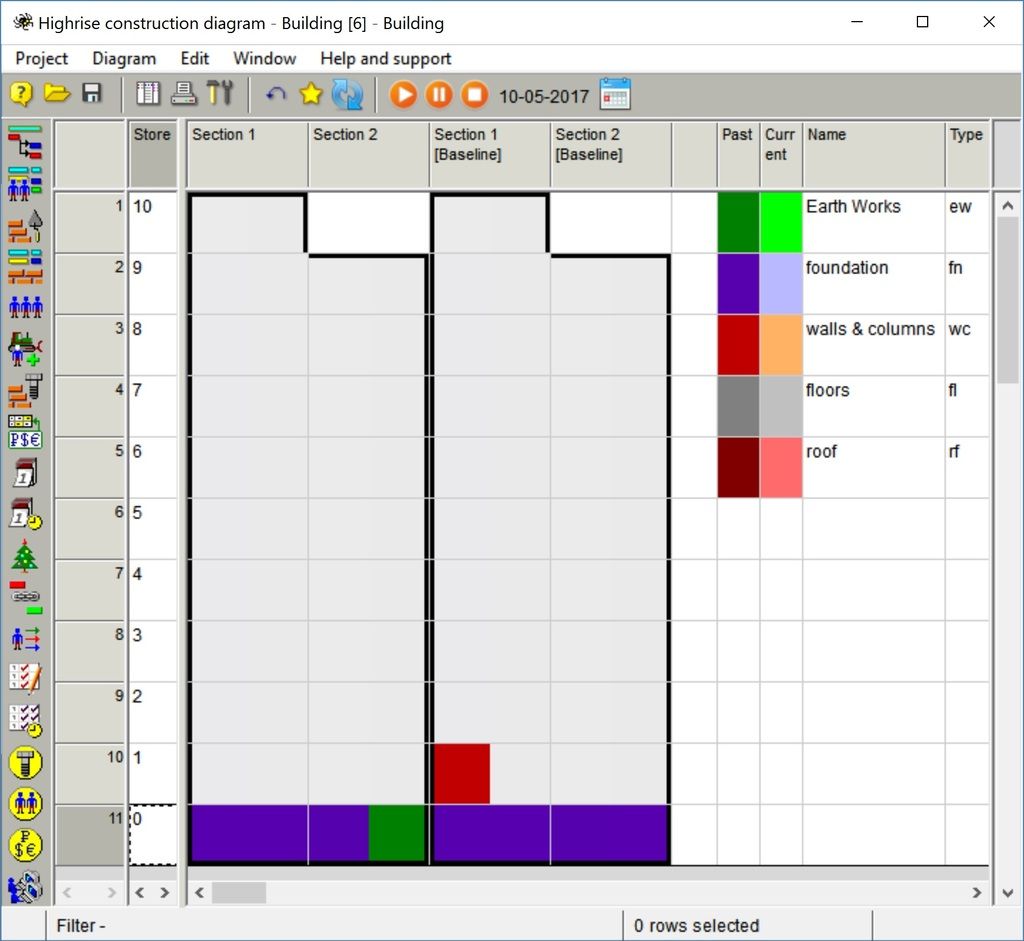
If you watched the movie and stopped it on certain date in the diagram that shows current and baseline schedules side by side:
If you showed current and baseline schedules overlapping: