
Earned Value Report With CRYSTAL REPORT 11.2
In the Open Standard
Jose RamirezMember for 18 years 1 month
- Created
- 13
- 6
0
Hey, Arnold Puy (Hope you can help with this, thanks in adv.)
Earned Value Cost Report
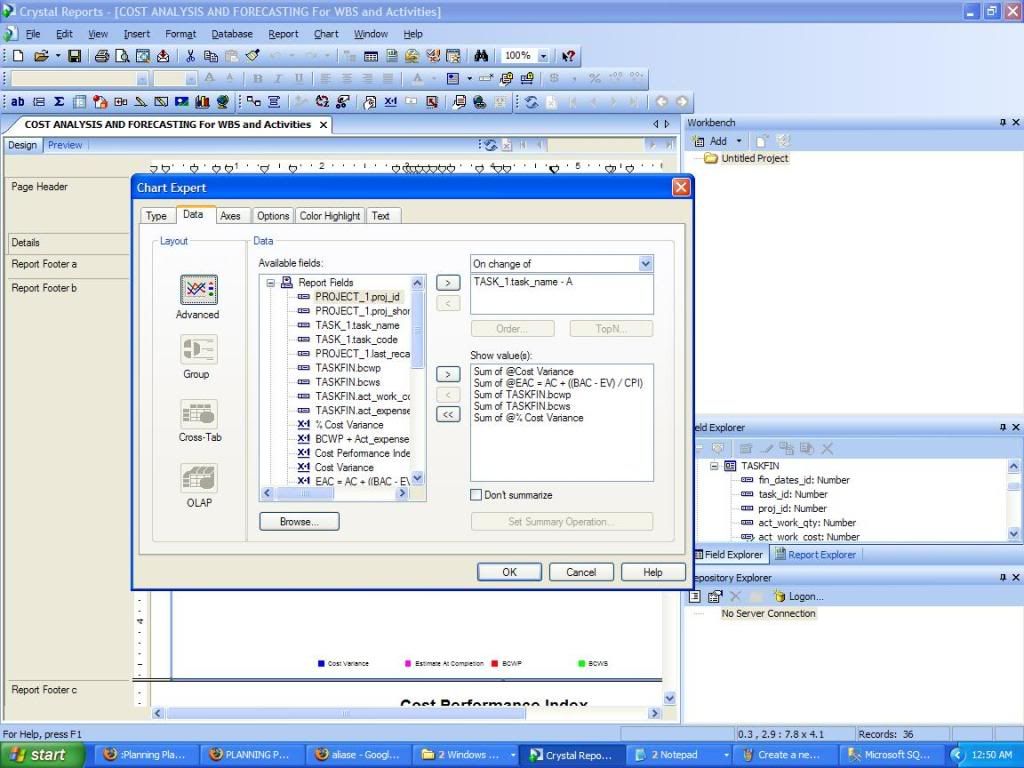
I am trying to create a report (Earned Value Cost Report) using Crystal Report 11.2 (yes, i know i can do it via Primavera, but the i wanna do it with crystal report)
I am linking Crystal Report PMSDK 6.2.1 MS SQL
1. My problem is I don’t know exactly which tables to extract the data from in SQL to get the following information (AC, PV, EV, etc):
Am Thinking the following tables below:
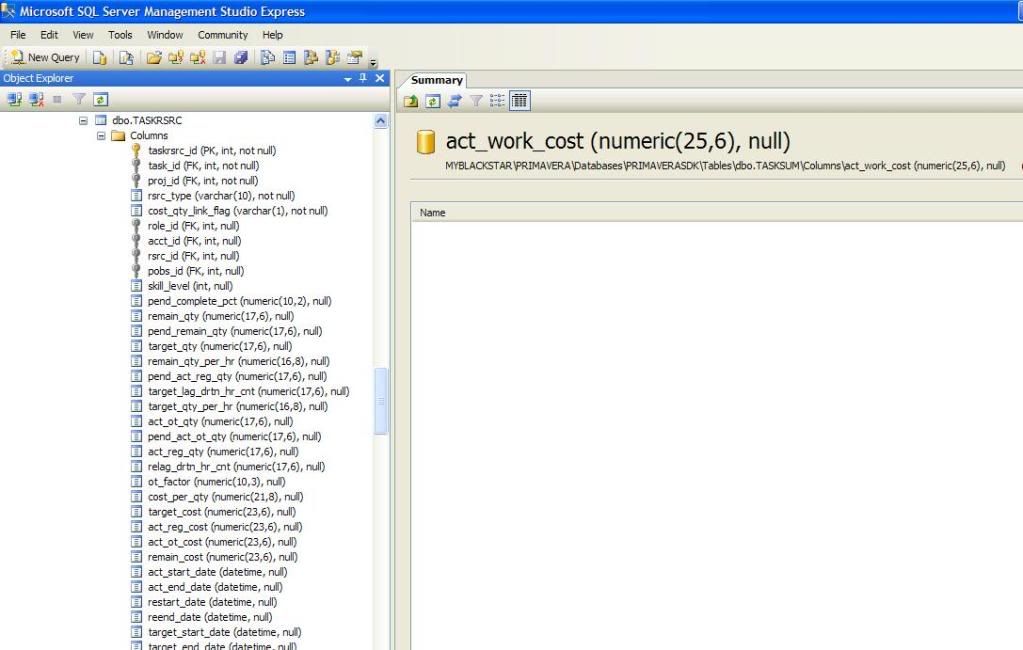
dbo.TASKRSRC
dbo.TASKSUM
dbo.WBSRSRC
2. Which columns to select from the tables: To Get SOME of the following information:
AC Actual Cost (to date)
BAC Budget At Completion (planned budget)
CPI Cost Performance Index (CPI = EV / AC)
CV Cost Variance (CV = EV - AC)
EAC Estimate At Completion (Formulas are listed below)
ETC Estimate To Complete (ETC = EAC - AC)
EV Earned Value (EV = PV * %Complete)
PV Planned Value: BAC for this task or CAP
SPI Schedule Performance Index (SPI = EV / PV)
SV Schedule Variance (SV = EV - PV)
VAC Variance At Completion (VAC = BAC - EAC)
Cost Performance Index CPI = EV / AC
Cost Variance CV = EV - AC
Earned Value (for a task) EV = PV * %Complete
Estimate To Complete ETC = EAC - AC
Schedule Performance Index SPI = EV / PV
Schedule Variance SV = EV - PV
Variance At Completion VAC = BAC - EAC
% Schedule Variance SV = ( EV - PV ) / PV
BTW the PMSDK and CRYSTAL REPORT Database connections are perfect. Now is just getting familiar with all the TABLES and Columns in MS SQL for primavera.
Earned Value Cost Report
I am trying to create a report (Earned Value Cost Report) using Crystal Report 11.2 (yes, i know i can do it via Primavera, but the i wanna do it with crystal report)
I am linking Crystal Report PMSDK 6.2.1 MS SQL
1. My problem is I don’t know exactly which tables to extract the data from in SQL to get the following information (AC, PV, EV, etc):
Am Thinking the following tables below:
dbo.TASKRSRC
dbo.TASKSUM
dbo.WBSRSRC
2. Which columns to select from the tables: To Get SOME of the following information:
AC Actual Cost (to date)
BAC Budget At Completion (planned budget)
CPI Cost Performance Index (CPI = EV / AC)
CV Cost Variance (CV = EV - AC)
EAC Estimate At Completion (Formulas are listed below)
ETC Estimate To Complete (ETC = EAC - AC)
EV Earned Value (EV = PV * %Complete)
PV Planned Value: BAC for this task or CAP
SPI Schedule Performance Index (SPI = EV / PV)
SV Schedule Variance (SV = EV - PV)
VAC Variance At Completion (VAC = BAC - EAC)
Cost Performance Index CPI = EV / AC
Cost Variance CV = EV - AC
Earned Value (for a task) EV = PV * %Complete
Estimate To Complete ETC = EAC - AC
Schedule Performance Index SPI = EV / PV
Schedule Variance SV = EV - PV
Variance At Completion VAC = BAC - EAC
% Schedule Variance SV = ( EV - PV ) / PV
BTW the PMSDK and CRYSTAL REPORT Database connections are perfect. Now is just getting familiar with all the TABLES and Columns in MS SQL for primavera.
13 replies
Oldest first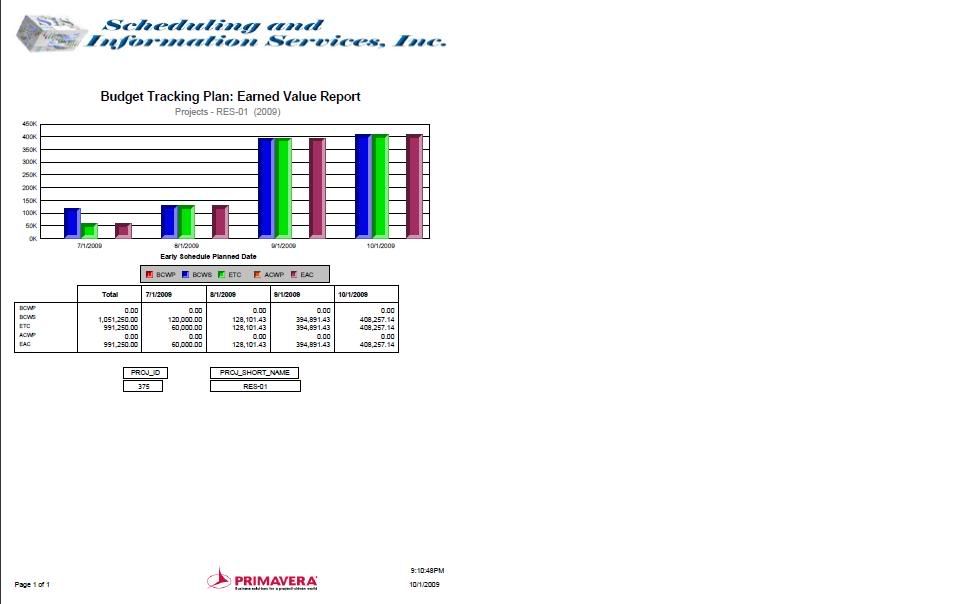
Log in or join to reply
ProjectControls.com is free to join. Members can post questions, reply, vote and follow discussions.
Existing members: your original username and password still work. Forgot password?