Skip to content

P6 % Display problem

Mohammad AslamMember for 19 years 4 months
Created
8
3
0
Dear Planners

Kindly tell me how to display percent complete in round figure in P6. By default P6 shows the percent complete in points upto two decimal place (eg 22.22%). My manager wants to see the percent complete in round form like in P3.1 (10%,20% etc).

Please help

Mohammad Aslam

8 replies

Oldest first
  1. 0
    David Kelly ·
    I have used P5/P6 since its introduction. I do not know how to do this. I agree that showing percent complete to two decimal places makes no sense to any planner. But this is a cost planning system, and the cost engineers like decimal places.
  2. 0
    Mohammad Aslam ·
    Thanks for the reply David

    Mohammad Aslam
  3. 0
    Arnold Puy ·
    Hi Mohammad,

    Create a UDF say, %Comp and the Data Type is "Integer".

    Then create a global and rename. Select Subject Area "Activities".

    Then:

    %Comp = Physical % Complete

    Note:
    The Percent Complete is depend on what you are using whether Physical, Duration, Units or Performance % Complete.

    Regards,

    Arnold
  4. 0
    Beau Wolfe ·

    Arnold,Can you elaborate on

    Arnold,

    Can you elaborate on the steps you listed above? I didn't have any luck trying to follow you.

    Thanks,

    Beau

  5. 0
    John Reeves ·

    Is this corrected in the

    Is this corrected in the latest version of P6?  I thought I read that it was but I cannot figure out how to get it off the two decimal reading...yes, the UDF device will work.  Come on Oracle, it has been 15 years and P6 still cannot do basic formatting that we could do in P3.  

  6. 0
    Zoltan Palffy ·

    edit user preferences dates

    edit user preferences dates tab units format 0 decimal places durations format 0 decimals or admin preferences custom % complete 0 decimals

  7. 0
    John Reeves ·

    I tried to follow the

    I tried to follow the "settings" to round the Activity % complete to 0, I could not find it.  I did not see the settings referenced.  I am not going to set up a udf, the pct complete to 2 decimal points is crazy.

  8. 0
    Rafael Davila ·

    Maybe by clicking desired

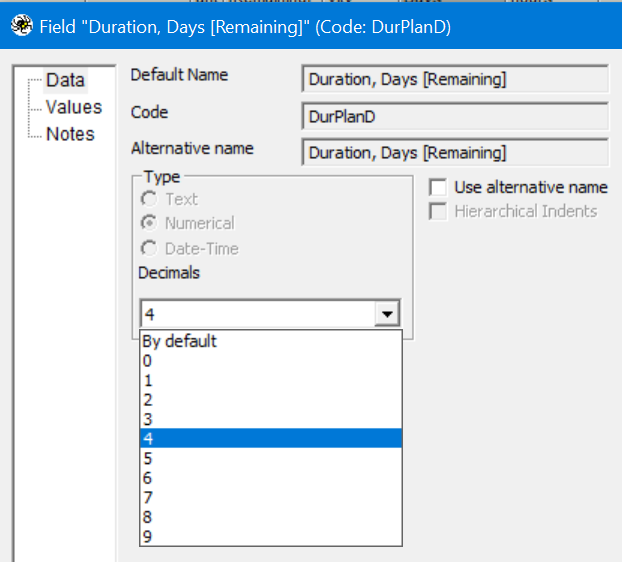
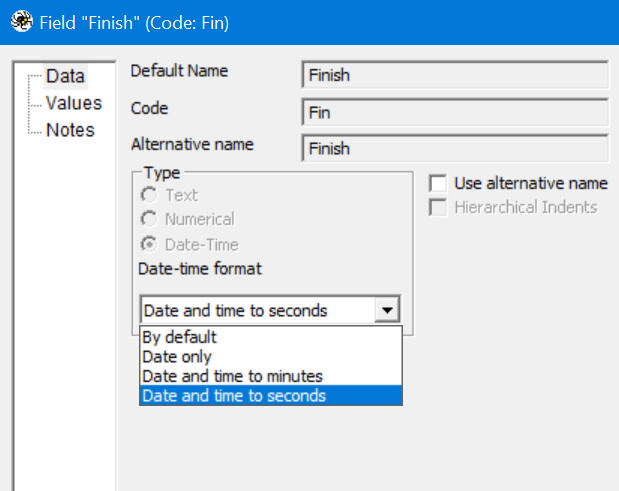
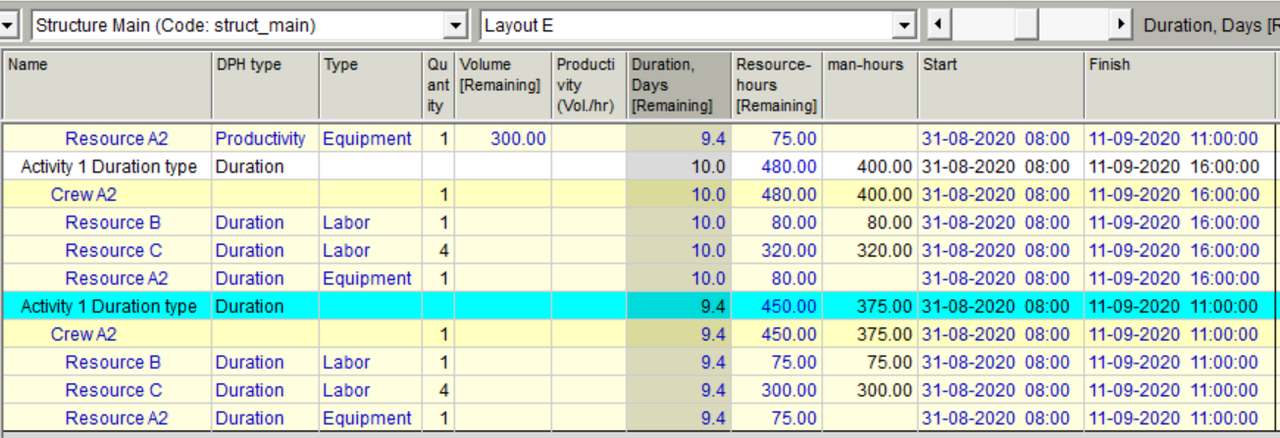
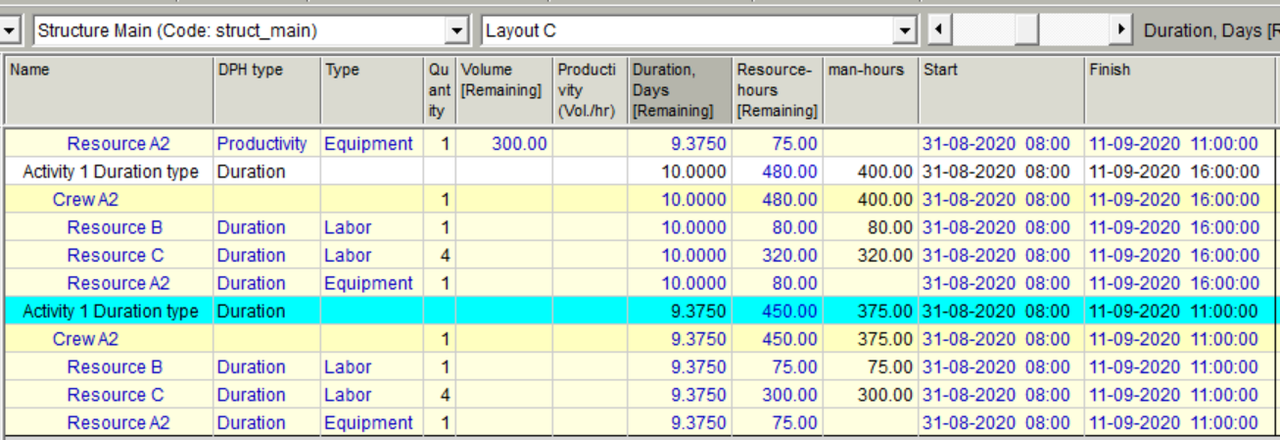
    Maybe by clicking desired column and selecting format you could get what you want, similar to Spider Project where you can save on your layouts different formats for the same column. As you can see Duration Days for Layout E is shown rounded to one decimal place while in Layout C it is shown rounded to five decimal places. In both layouts Start is shown down to the minute while Finish is shown to the second.  Because for this sample schedule 9.375 days at 8 h/d equals 75 hours so we do not see fractional hours.  I suspect you are looking in the wrong place. Similar to Excel where you can format your cells.

    layout-column-formats-01

    layout-column-formats-02

    format-column-01  format-column-02
     

Log in or join to reply

ProjectControls.com is free to join. Members can post questions, reply, vote and follow discussions.

Existing members: your original username and password still work. Forgot password?